
Mapping API with the WebApp
Data exposed in the Activate API (Rest or Webhook) is obviously the same as the one displayed in our WebApp.
This documentation aims at helping you mapping what you can see in the WebApp to the JSON you consume with the API.
In the WebApp, the Call List allow users to select the columns they want to display in the data table. Some data are not visible in the data table, but only from a Call Details page. For example the transcript or the long text tags such as the call summary.
General information
General information are common to any Call uh!ive will process.
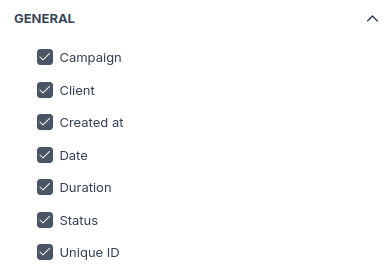
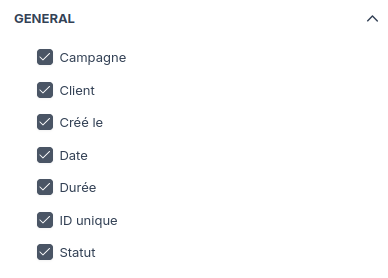
- Campaign:
campaign - Client: Not currently exposed in the Activate API
- Created at:
created_at, the date of ingestion in uh!ive platform - Date:
timestamp, the date when the call happened - Duration:
duration - Status:
status - Unique ID:
unique_id
Tags and metadata
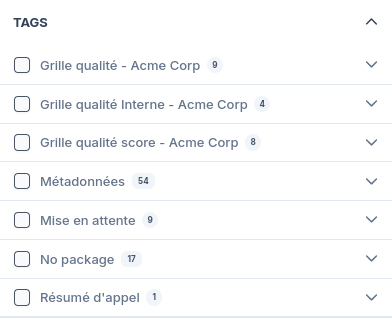
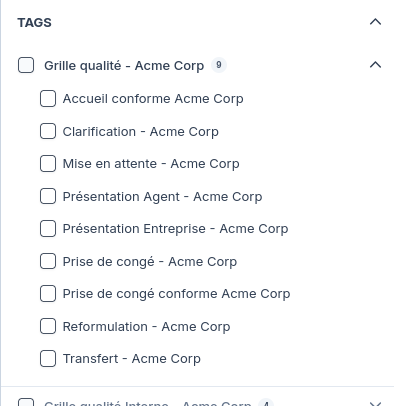
In the WebApp, the column selection interface shows Tags grouped by "package" (a technical term synonym of "theme", "topic"), folded by default. Metadata is its own package, but on the contrary to Tags, its data source is not uh!ive speech analysis, but your own system (CRM, Phone Recorder...).
Tags
Tags of a given call are exposed in the list tags. More data is available on the API's end that on the WebApp's. Tags UUID are
immutable and should be your source of truth to handle them on your side. But to map from the WebApp to the API, you'll have to
rely on label which is the value displayed as Call List header, or in the Call Details page. Tag's package is also exposed in
the API inside Tag's package object.
"tags": [
  {
    "uuid": "b07b2ffa-a9ab-408e-976f-57bcb61027aa",
    "label": "Accueil conforme Acme Corp",
    "confidence": 1.0,
    "type": "keyword",
    "value": "Non conforme",
    "package": {
      "uuid": "bc830c37-5c23-45a0-b019-0b391ea2165e",
      "label": "Grille qualité - Acme Corp"
    }
  },
  ...
Long text tags (such as the call summary) are not currently available to be displayed in the Call List data table columns, but are exposed in the Activate API, and displayed on the Call Details page.
Metadata
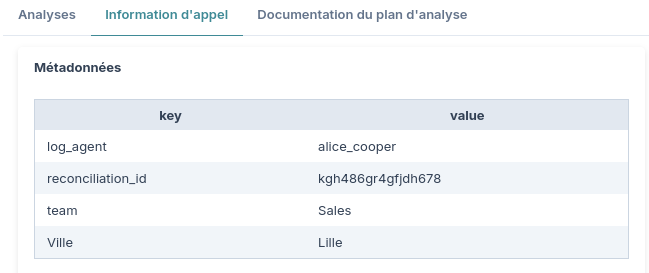
Metadata are listed as a key: value object in the property metadata, for example:
"metadata": {
  "log_agent": "alice_cooper",
  "reconciliation_id": "kgh486gr4gfjdh678",
  "team": "Sales",
  "Ville": "Lille"
},
Keys from the JSON objects are what you'll find in the WebApp as label in the data table, or the Call Details page:
Audio and transcript
The field audio_state will tell if the audio is available for download.
In the WebApp, if the audio is available, we'll use ivr_end to set the player's timecode there, so that playing the audio
would start right at the end of the IVR.
In the WebApp, if the transcript is available, what we display in the Call Detail page comes from what you'll find in
transcript_json in the Activate API: segments, confidence score (you'll notice that active segment's words are light or dark,
depending on ASR confidence score), and timecode to sync the transcript with the player.
Activate API only fields
The following fields are currently (2025-05-21) not visible in the WebApp:
in: if known, the phone number of the caller.out: For Vocal Cookie call tracking, the number of the callee.tracking_info: For Vocal Cookie call tracking, the third-party cookies values.visit: For Vocal Cookie call tracking, the web navigation of the user before the call.